Verwaltung von Cookies, die für die Werbung verwendet werden, wie z. B. Anzeigenpersonalisierung, Remarketing und Analyse der Anzeigenleistung.
2.5.2.2.3.1. Configure FTP connection in WinSCP
Attention!
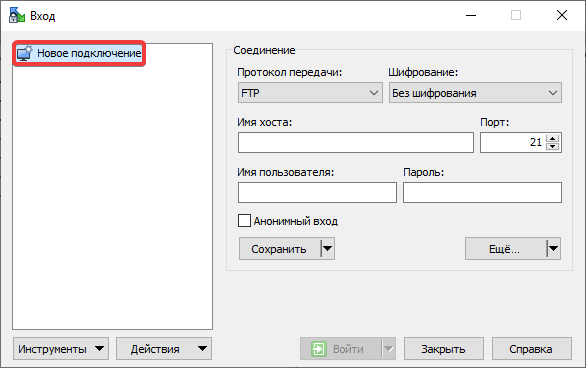
Before connecting, check the FTP security settings — the IP address from which the connection will be made should be added to the allowed list, or access restrictions should be disabled.- Click "New Site":
- Specify the connection settings:
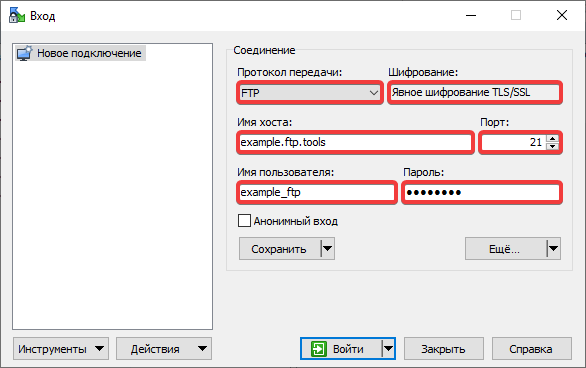
- "File protocol" — "FTP".
- "Encryption" — "TLS/SSL Explicit encryption". In case of connection issues, use "No encryption".
- "Host nName" — FTP host.
- "Port" —
21. - "User name" — FTP user login.
- "Password" — FTP user password.
- Click "Advanced":
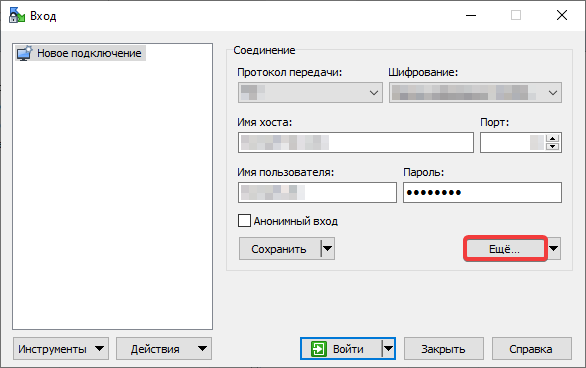
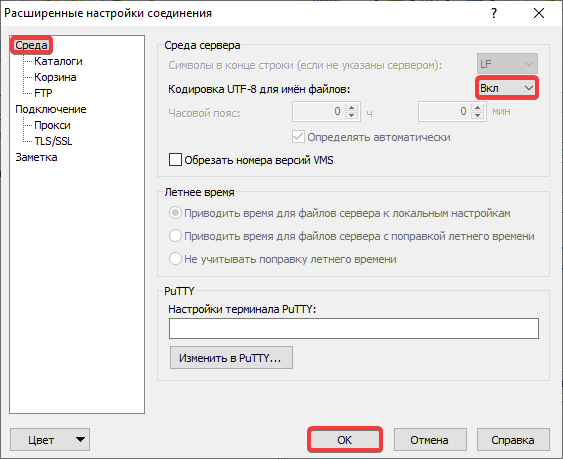
- In the section "Environment" in the "UTF-8 encoding for filenames" field select "On" and click "OK":
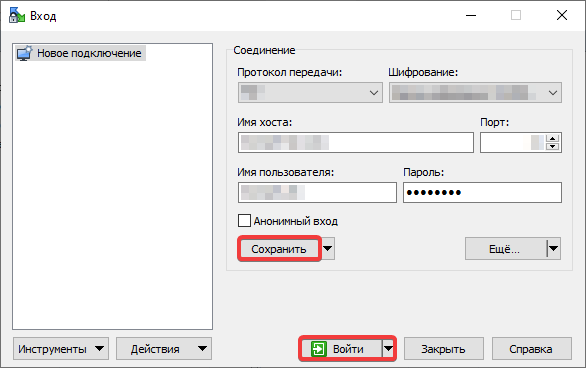
- Click "Save" and "Login":