Verwaltung von Cookies, die für die Werbung verwendet werden, wie z. B. Anzeigenpersonalisierung, Remarketing und Analyse der Anzeigenleistung.
4.2.10. Send messages with other users specified
In mail clients, you can specify a different mailbox as the sender (usually configured with profiles). For example, you can log in to the shop@example.com mailbox and send a message from it on behalf of the admin@example.com mailbox. The recipient of the message will see the sender as admin@example.com, the address of the real sender will be available only in the technical headers of the message.
This is convenient when multiple mailboxes are used by one person, but may be unsafe when using mail within an organization, so you can disable this option.
- Open the "Mailboxes" section.
- At the top of the page, click "Settings".
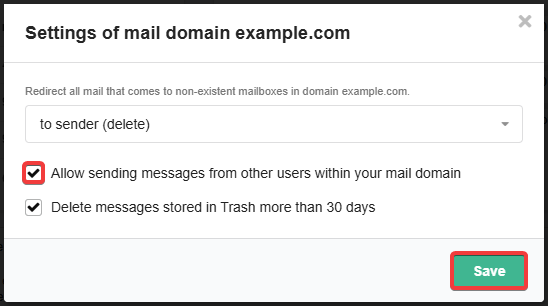
- Disable 'Allow sending messages from other users within your mail domain" and save the changes:
(1)